Job Ads Tab
This feature is currently not being used.
The job ads tabs allows you to create recruitment ads for the employer, so as to recruit new full-time employees. You can add multiple job ads for a single employer.
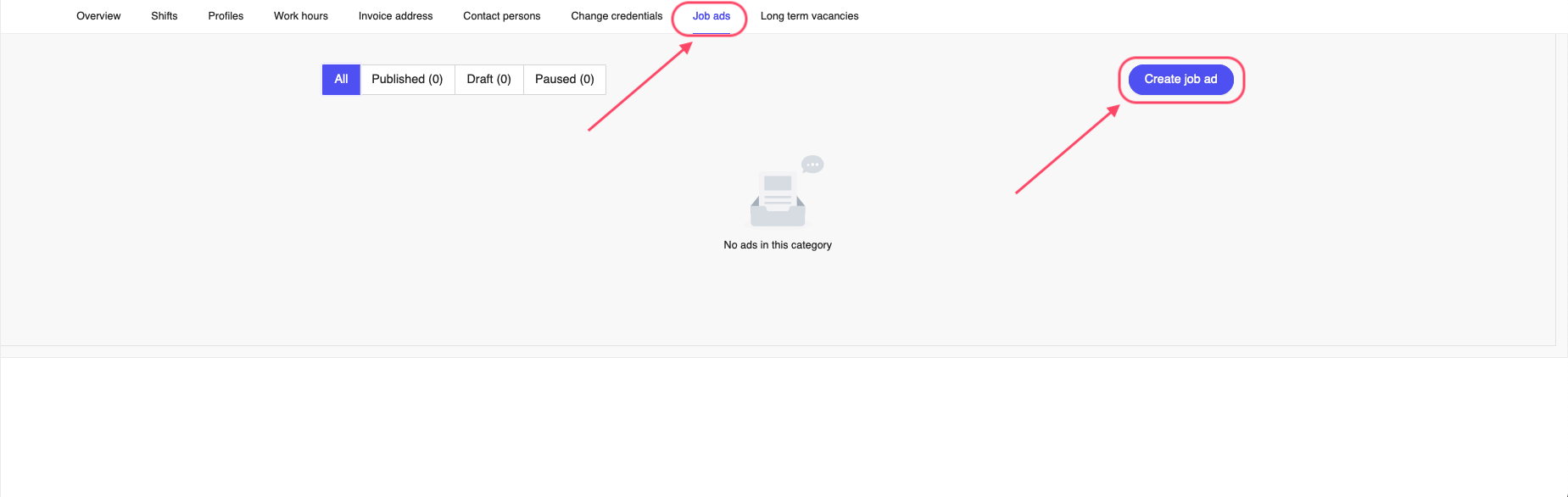
Figure 1: Employer Job Ads Tab
To add a new job ad, click on the Create job ad button on the top right corner of the page. This will open a window where you can add the details of the job ad.
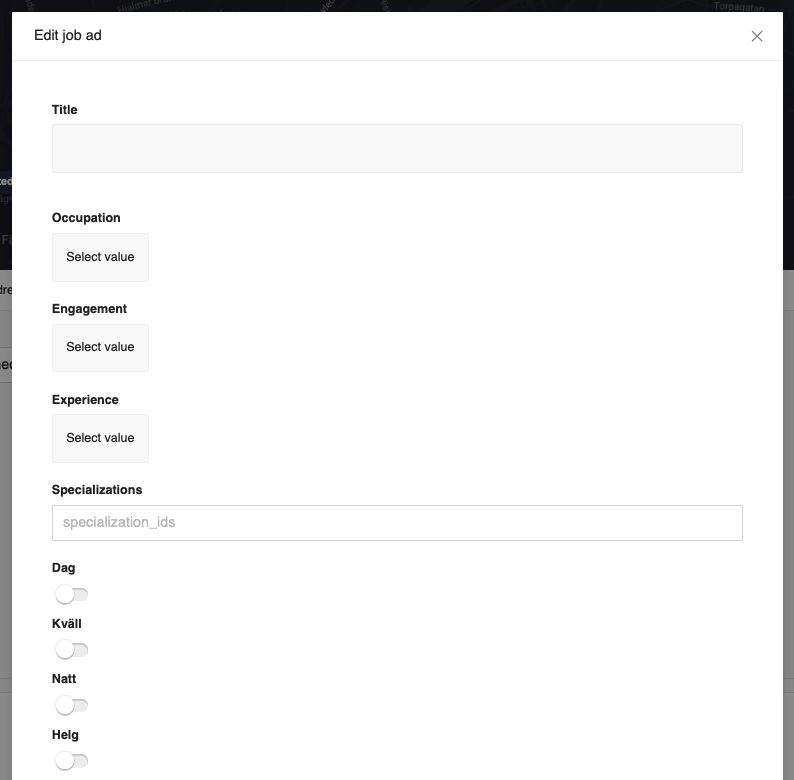
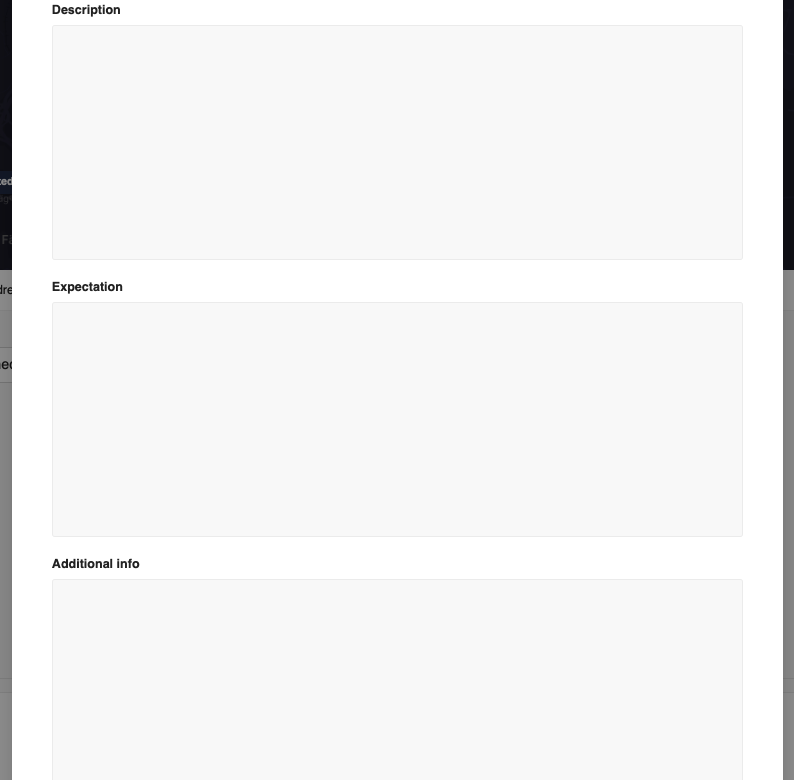
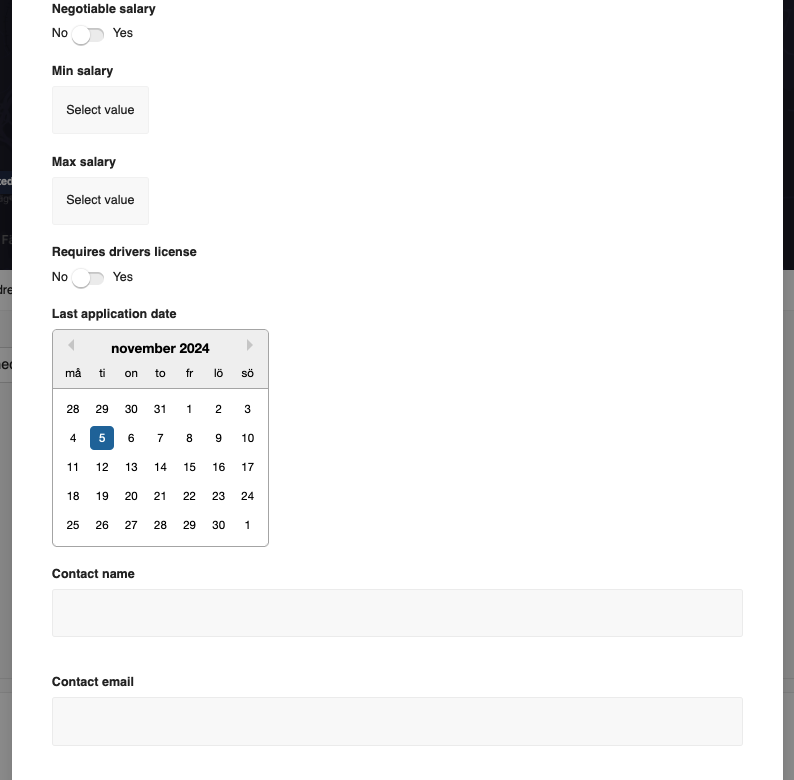

Figure 2: Employer Job Ads Tab
The fields include:
- Title - The title of the job ad, mosy likely the job title.
- Occupation - The occupation of the job ad, such as Leg. sjuksköterska, Läkare, etc. You can select the occupation from the dropdown list.
- Engagement - The engagement of the job ad, such as Heltid, Deltid, etc. You can select the engagement from the dropdown list.
- Experience - The experience required for the job ad, such as 0-3 years, 3-6 years, etc. You can select the experience from the dropdown list.
- Specializations - The specializations required for the job ad, such as Akutsjukvård, Barnmorska, etc. You can select the specializations from the dropdown list.
- Dags - Have jobs in day time. You can enable or disable according to the job ad.
- Kväll - Have jobs in evening time. You can enable or disable according to the job ad.
- Natt - Have jobs in night time. You can enable or disable according to the job ad.
- Helg - Have jobs in weekends. You can enable or disable according to the job ad.
- Description - The description of the job ad, including the job responsibilities, requirements and other details. Anythign you want to convey to the applicants.
- Expectations - The expectations of the job ad, such as what the employer expects from the applicants. This can include the qualifications, skills, etc.
- Additional info - Any additional information that you want to convey to the applicants.
- Negotiable salary - Whether the salary is negotiable or not. You can enable or disable according to the job ad.
- Min salary - The minimum salary for the job ad. You can select the minimum salary in SEK from the dropdown list.
- Max salary - The maximum salary for the job ad. You can select the maximum salary in SEK from the dropdown list.
- Requires drivers license - Whether the job requires a drivers license or not. You can enable or disable according to the job ad.
- Last application date - The last date for the applicants to apply for the job ad. You can select the date from the calendar.
- Contact name - The name of the contact person for the job ad. This field is optional.
- Contact email - The email of the contact person for the job ad. This field is optional.
- Contact phone - The phone number of the contact person for the job ad. This field is optional.
Once you have filled in the details, click on the Save button to save the job ad or X on top of the window to cancel the operation.
Previously, for a successful recruitment/hiring, the employer had to pay a success fee, which amounts to a month salary. There was also a yearly fee for the employer to use this functionality as well.