Change credential Tab
This tab allows you to change the default credentials of the employer, such as the username and password as well as add a new username and password for account administrators.
Please be cautious when changing the credentials of the employer. If you change the username or password, the employer will not be able to log in with the old credentials to their employer application. Make sure to inform the employer about the new credentials.
Make sure that the new credentials are secure and not easily guessable.
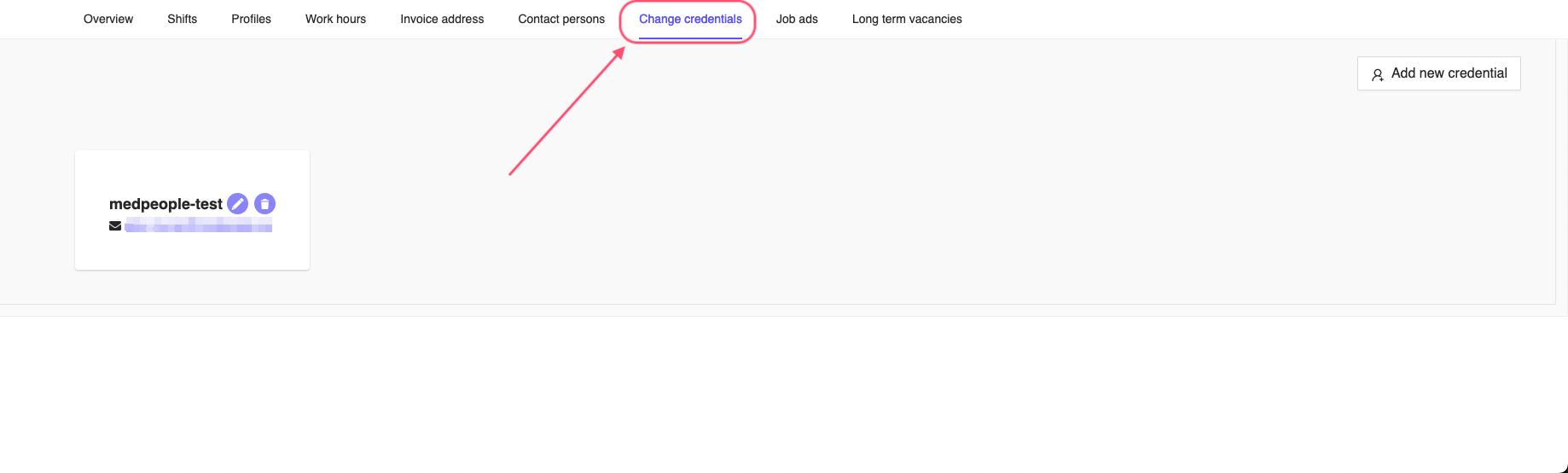
Figure 1: Change Employer Credentials Tab
Update credentials
You can change the default credentials of the employer by clicking on the Edit button (pencil icon) on the top right corner of the page.

Figure 2: Edit Employer Change Credentials
This will open a window where you can change the username and password of the employer. You can add the username, password and also a name for the particular employer account credentials. Once you have added the details, click on the Save button to save the credentials or Cancel to cancel the operation.
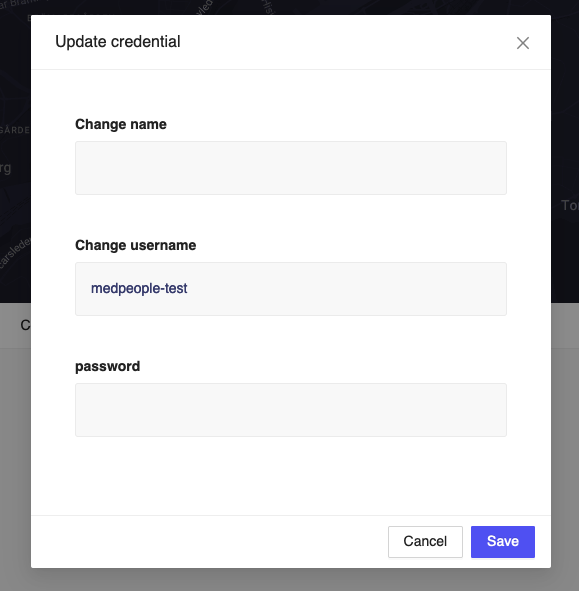
Figure 3: Update Employer Credentials
Add new credentials
You can add a new username and password for the employer account by clicking on the Add new credential button on the top right corner of the page, see Figure 1. This will open a window where you can add the username and password for the employer account. You can also add a name for the particular employer account credentials. Once you have added the details, click on the Save button to save the credentials or Cancel to cancel the operation.
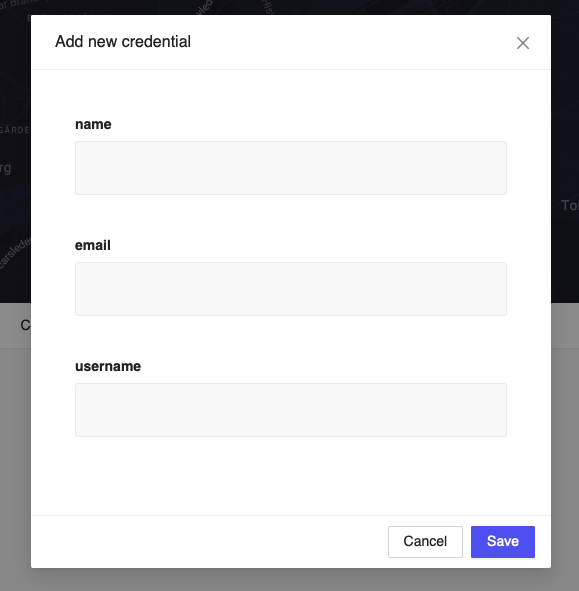
Figure 4: Add Employer Credentials
Delete credentials
You can click the Delete (trash icon) on the right side of the credentials to delete the credentials.

Figure 5: Delete Employer Credentials
This will open a confirmation window where you can confirm the deletion of the credentials. Click on the OK button to delete the credentials or Cancel to cancel the operation.
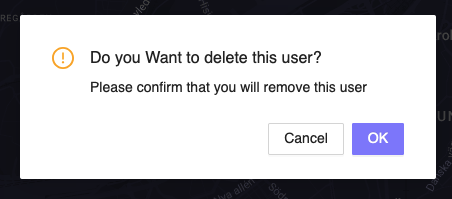
Figure 6: Delete Employer Credentials Confirmation
Once you delete the credentials, you cannot recover the details. Please make sure you want to delete the credentials before confirming the deletion.