Contact persons Tab
The contact persons tab enable you to add details about the contact persons of a specific employer. This will allow the consultants to contact the contact person if required. You can add multiple contact persons for a single employer. This includes adding the name, email, phone number and title of the contact person.
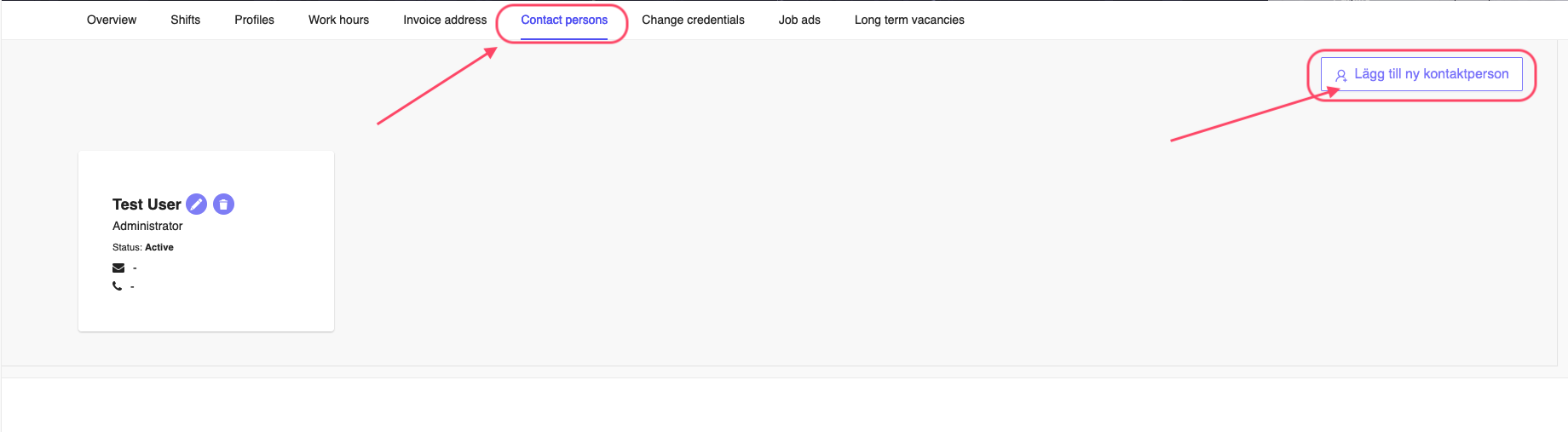
Figure 1: Employer Contact Person Tab
Add Contact Person
To add a contact person, you can click the Lägg till ny kontaktperson button on the top right corner of the page, see Figure 1. This will open a window where you can add the details of the contact person.
Once you click on the button, you will see a window as shown in Figure 2. Here you can add the details of the contact person. You can add the name, email, phone number and title of the contact person. You also have the option to set the contact person active or not (quite useful during vacation period, so that the contact won't be shown to the consultants). This will either hide or un-hide the contact details from the consultant app. Once you have added the details, click on the Spara button to save the contact person or Avbryt to cancel the operation.
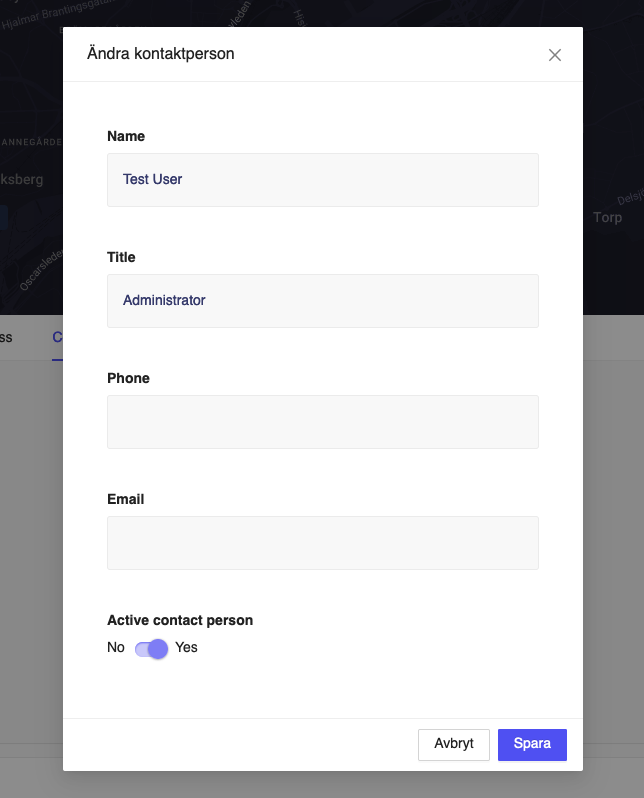
Figure 2: Add Employer Contact Person
Edit Contact Person
To edit the contact person, you can click on the Edit (pencil icon) button on the right side of the contact person name This will open a window where you can edit the details of the contact person. The fields are similar to the add contact person window, see Figure 2. Once you have edited the details, click on the Ok button to save the contact person or Cancel to cancel the operation.
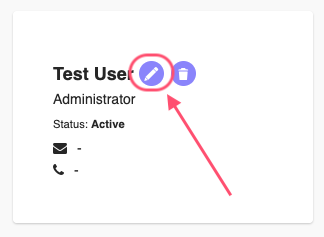
Figure 3: Edit Employer Contact Person
Delete Contact Person
You can click the Delete (trash icon) on the right side of the contact person to delete the contact person.
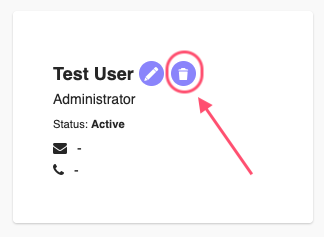
Figure 4: Delete Employer Contact Person
This will open a confirmation window where you can confirm the deletion of the contact person. Click on the Ta bort button to delete the contact person or Avbryt to cancel the operation.
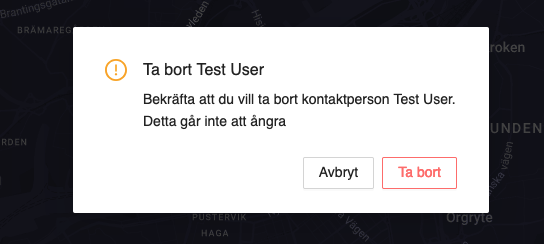
Figure 4: Delete Employer Contact Person Confirmation
Once you delete the contact person, you cannot recover the details. Please make sure you want to delete the contact person before confirming the deletion.