Time Report Tab
The time report tab is used for managing the time reports of the consultants. The page contains a list of all the time reports of the consultants. The admin users can view the time reports of the consultants on a monthly basis. You can click on the dropdown to view the time reports of the consultants for a particular month.
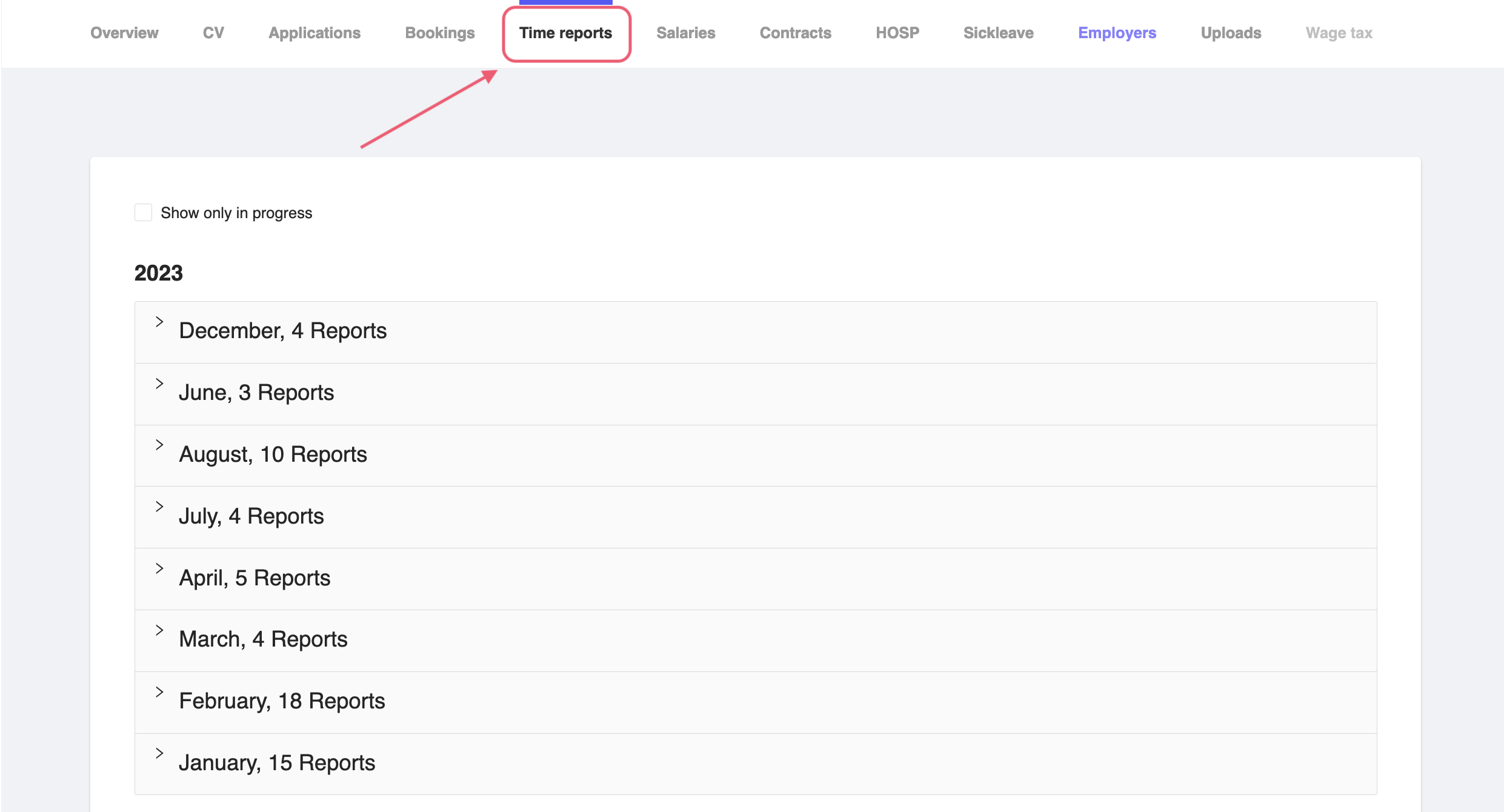
Figure 1: Consultant Time Report Tab
Time reported and attested
If the user has added the time report for the shift in their mobile application, then the time report will be shown as CONFIRMED. If th report has been verified by the admin and attested, then the staus will be shown as Attesterad (CONFIRMED).
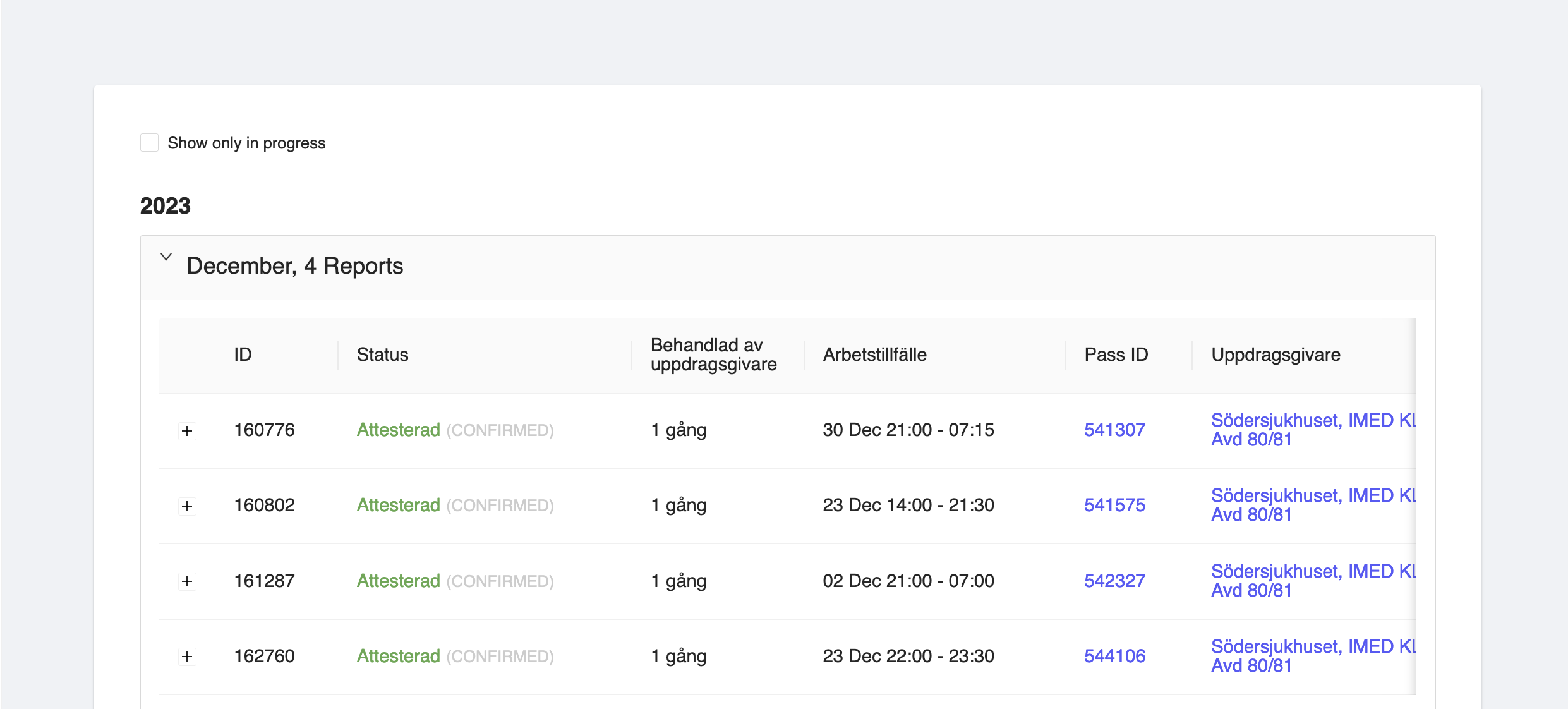
Figure 2: Consultant Time Report Attested
Time not reported
If the user has not added the time report for the shift in their mobile application, then the time report will be shown as Ej rapporterad (Pending).
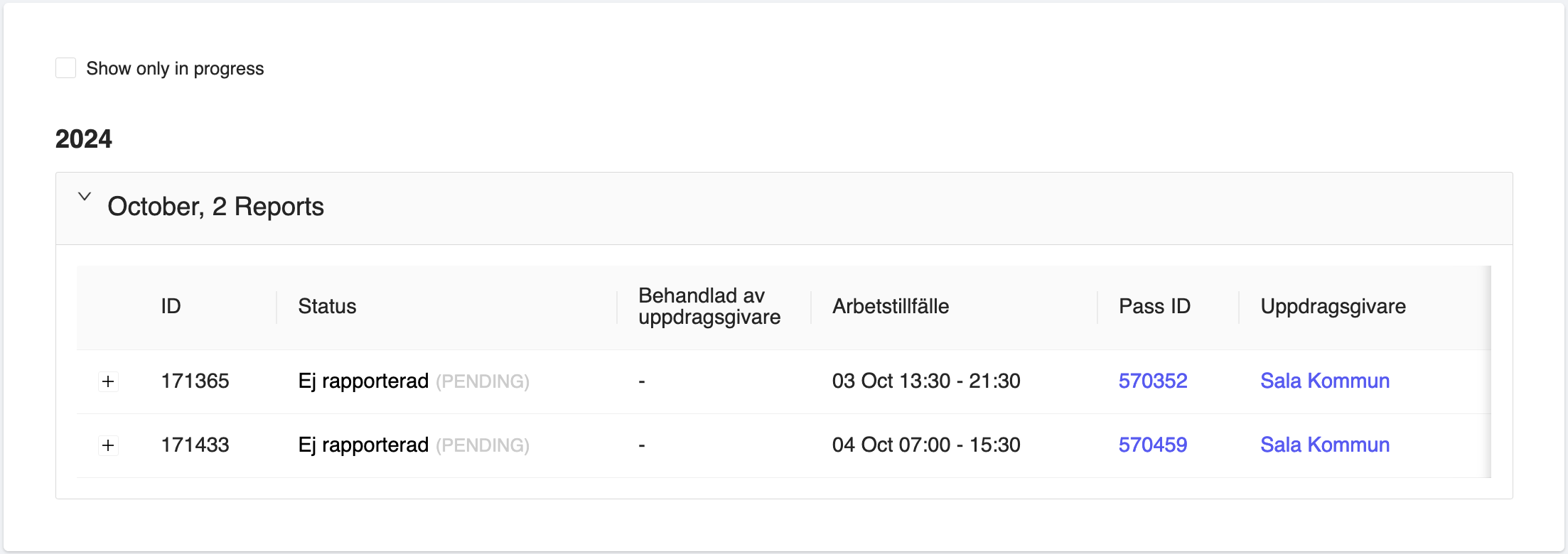
Figure 3: Consultant Time Report Not Reported
The details of the time report will show the following details:
- ID - The ID of the time report.
- Status - The status of the time report. It can be
CONFIRMEDorPENDING. - Behandlad av uppdragsgivare - Whether the time report has been attested by the employer or not.
- Arbetstillfälle - The working hours for which the consultant has worked for. This will show the start and end date of the working occasion along with timing.
- Pass ID - The shift ID for which the consultant has worked for. You can click on the shift ID to view the details of the shift as well.
- Uppdragsgivare - The employer for which the consultant has worked for. You can click on the employer name to view the details of the employer as well.
You can view more details by clicking on the + button on the left side of the time report. This will expand the time report details for which the consultant has worked on shifts for.
More details will be shown such as:
- Pris - The price of the shift.
- Avvikelse - The deviation of the shift.
- Arbetad tid - The working hours for which the consultant has worked for. In hours and minutes.
- Rast - The break time taken by the consultant. In hours and minutes. If any.
- Lön - The salary of the consultant for the shift.
- EF ersättning - The EF compensation for the shift.
Unfortunately, the admin users are not able to add, edit or delete the time reports from the admin panel. The time reports are created by the system based on the shifts created by the employer.