CV Tab
This page is read only and the information is provided by the consultant.
The CV tab provides the information provided by the consultant. These informations include:
- Description - The description of the consultant.
- Licenses - The licenses of the consultant. The licenses include E-Tjänstekort, HSA-id, BIG number, Driver's license.
- Journal Systems - The journal systems used by the consultant.
- Work Experience - The work experience of the consultant. This includes the name of the employer, the title of the consultant, the start date and end date of the employment, the description of the work.
- Specialist Education - The specialist education of the consultant. This includes the name of the education, the institution, the start date and end date of the education, the description of the education. This is not the same as the basic education. The specialist education is the education that the consultant has taken to become a specialist in a specific field.
- Basic Education - The basic education of the consultant. This includes the name of the education, the institution, the start date and end date of the education, the description of the education. This is the basic education that the consultant has taken to become a doctor or a nurse.
- References - The references of the consultant. This includes the name of the reference, the title of the reference, the email of the reference, the phone number of the reference.
- Languages - The languages known by the consultant. This includes the name of the language, the level of the language.
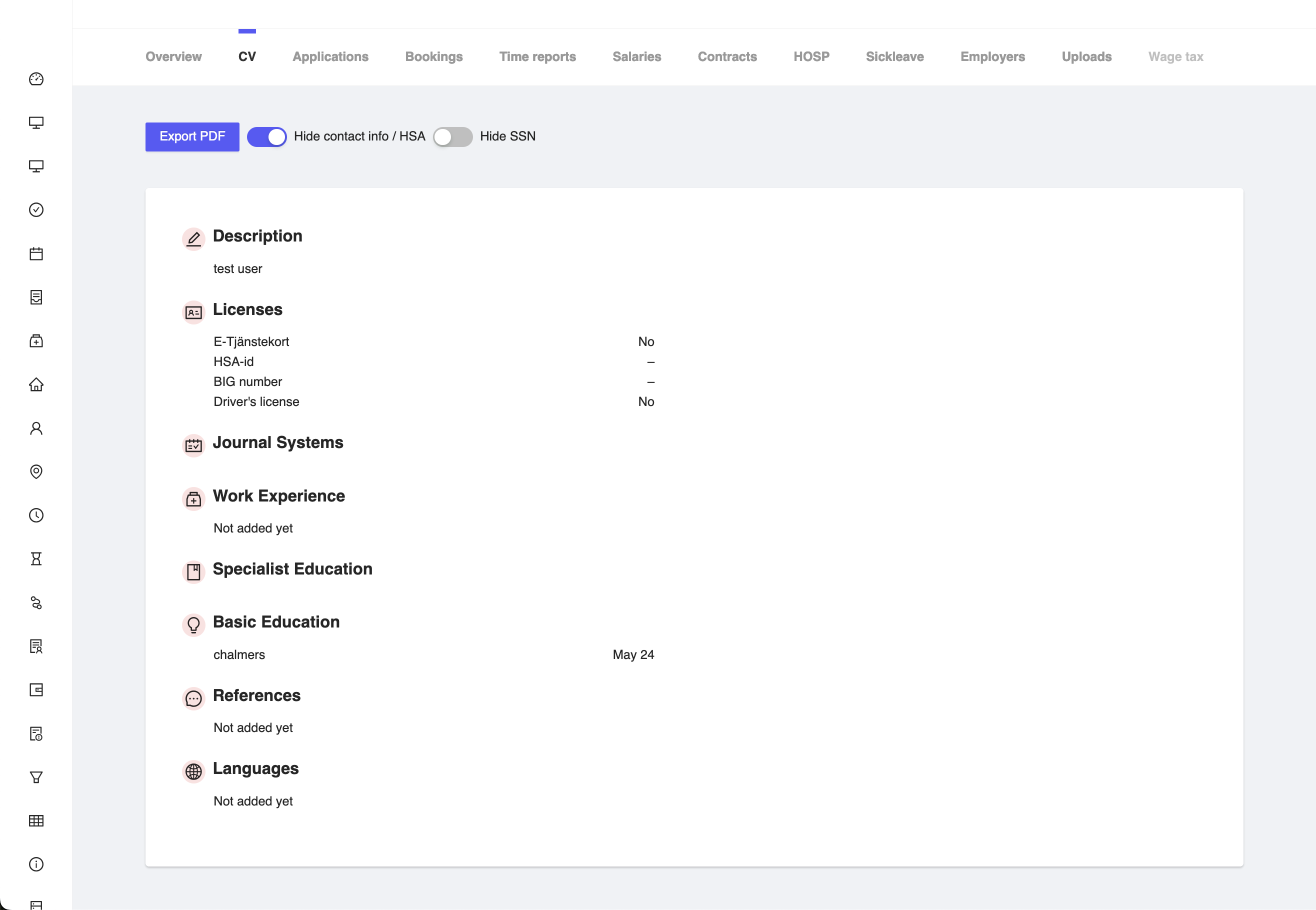
Figure 1: Consultant CV Tab
Features

Figure 2: Consultant CV Features
Export PDF
In the CV tab, you have features such as Export PDF, if you want to use for presenting the consultant to the employer. You can use the below mentioned features to export the CV of the consultant as a PDF.
Hide contact info/HSA
You can hide the contact information and HSA-id of the consultant by clicking on the Hide contact info button. This will hide the contact information and HSA-id of the consultant from the employer. This is useful when you want to share the CV of the consultant with the employer but do not want to share the contact information and HSA-id of the consultant.
Hide SSN
You can hide the social security number of the consultant by clicking on the Hide SSN button. This will hide the social security number of the consultant from the employer. This is useful when you want to share the CV of the consultant with the employer but do not want to share the social security number of the consultant.