Activity Board
Need to find more usecases and details about the activity board.
Activity board is used for managing the activities of the Medpeople customers (employers) and consultants. This is more of a CRM tool where the admin users create tasks (the comments shown in the consultant profile), set due dates, set planned dates etc for the consultants and employers. Admins can search for consultants or employers(denoted as clinics in the activity board) and view the activities of the consultants and employers.
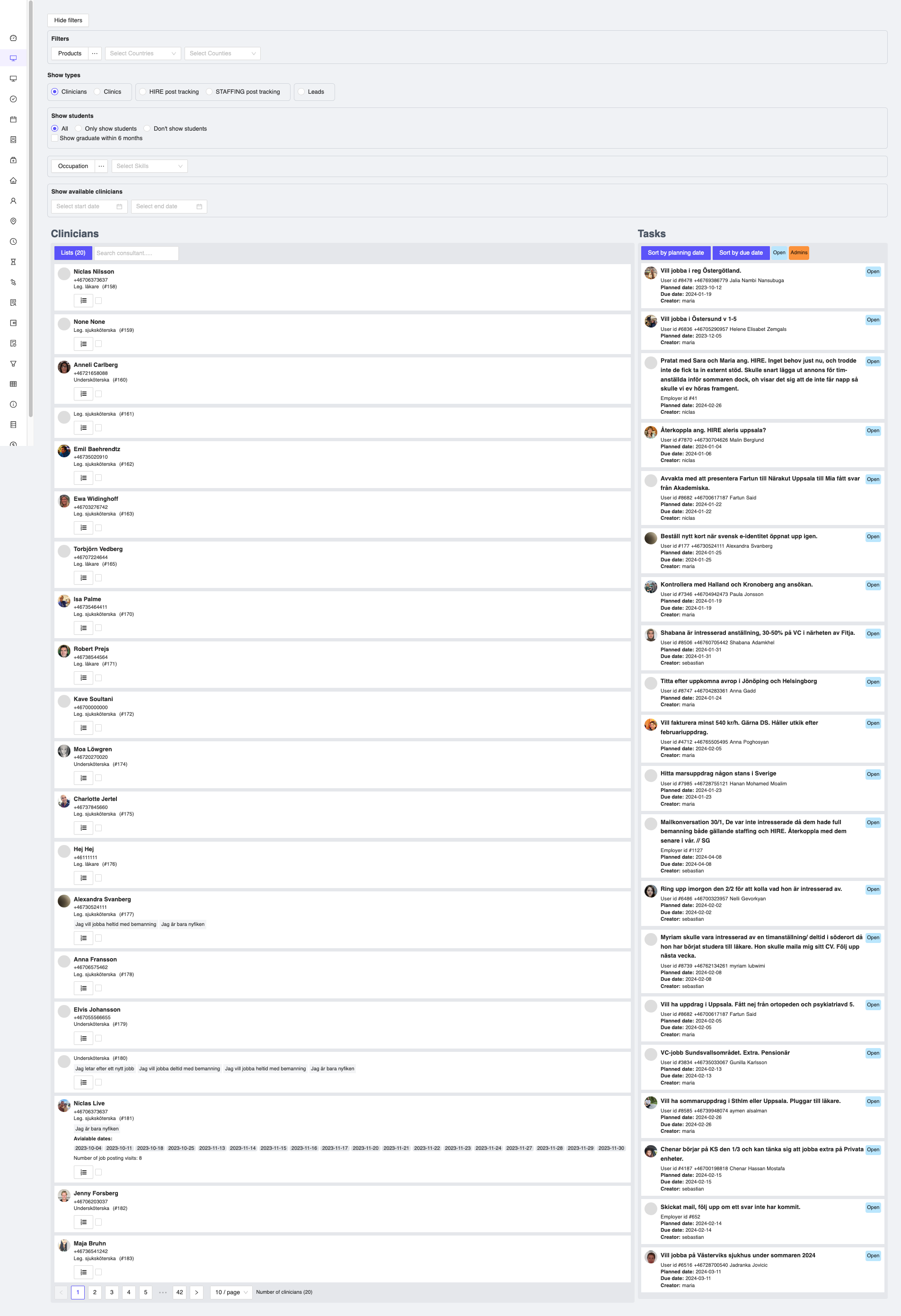
Figure 1: Activity Board
Filters
Various filters are also available to filter the activities based on the status, due date, planned date etc. You can filter the data based on your requirements and view the activities of the consultants and employers.
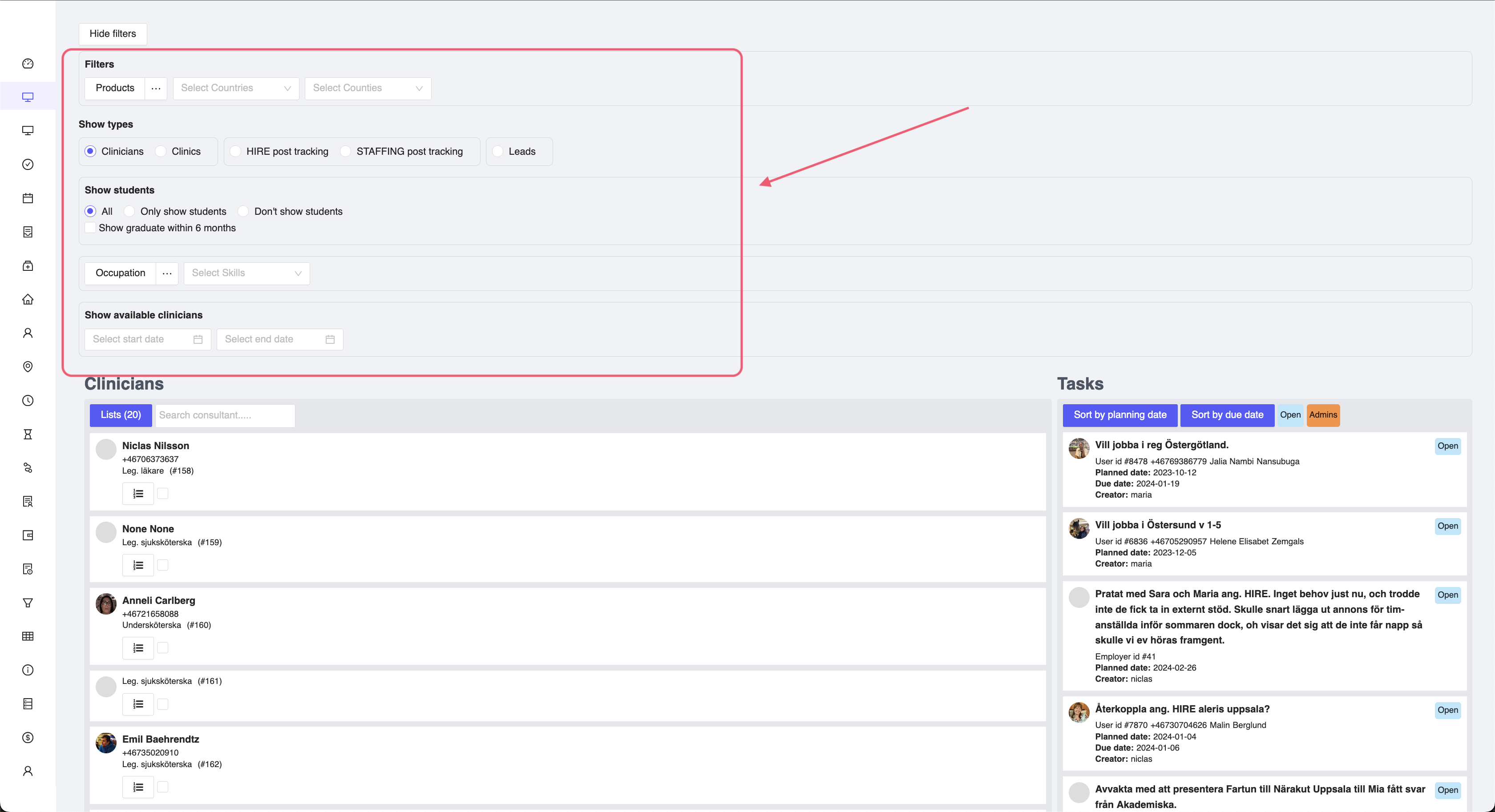
Figure 2: Activity Board Filters
Create tasks/activities
The admin users can also create new activities for the consultants and employers by clicking on the Create Task button. This will open a text spacec where you can enter the details of the task, set planned date, due date etc. Once the task is created, it will be shown in the activity board under the Tasks section.
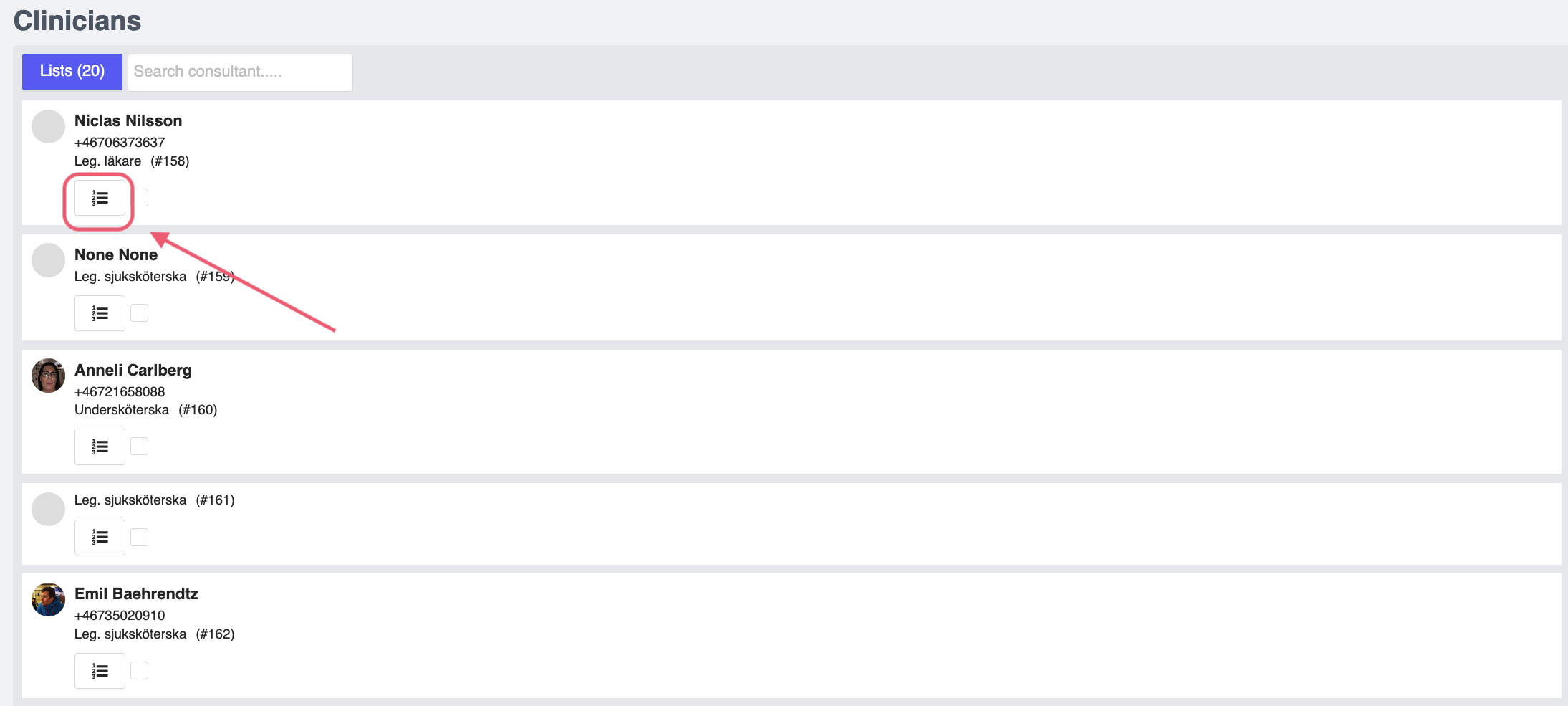
Figure 3: Activity Board Add Task
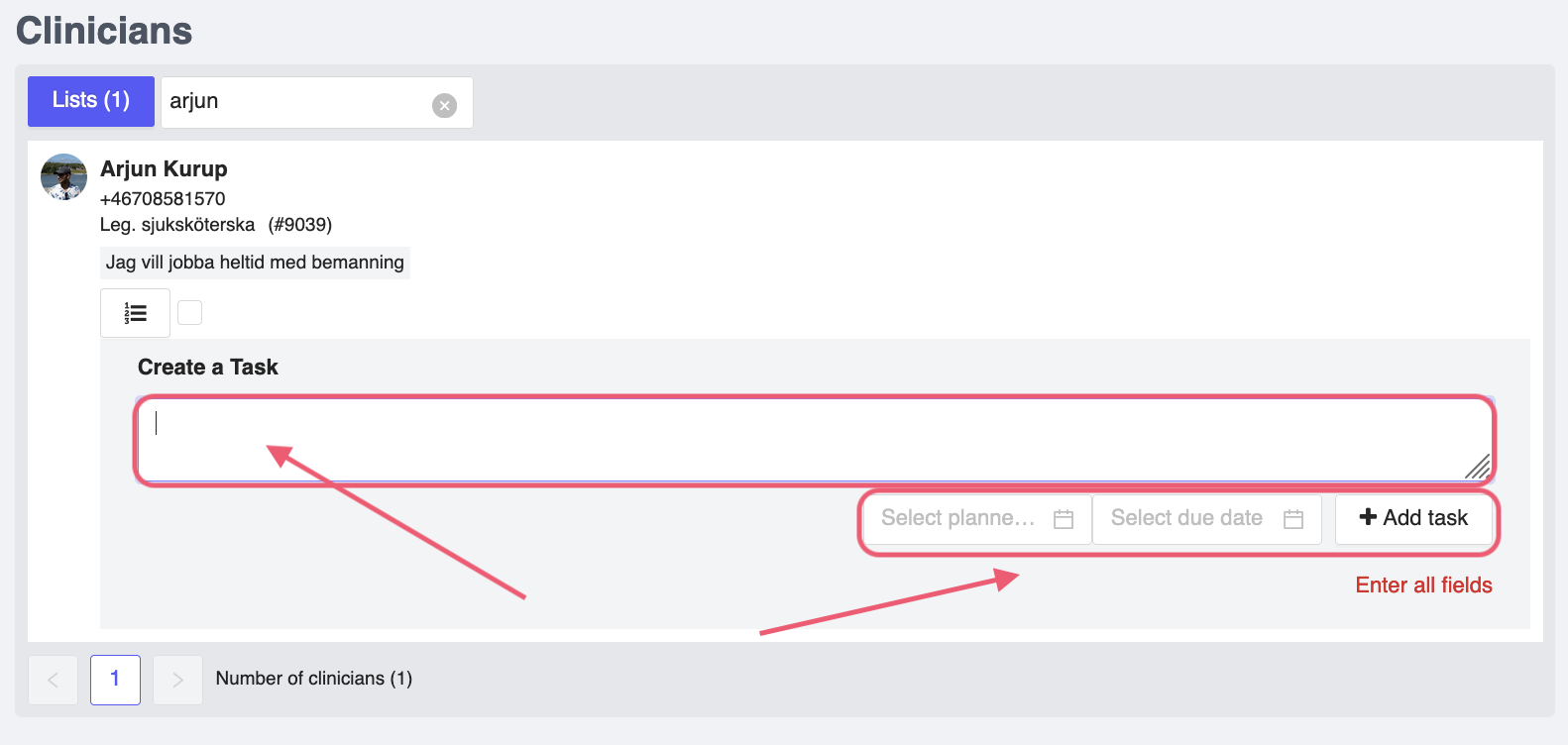
Figure 4: Add Task Details
View tasks/activities
If you search for a consultant or employer, and select the check box underneath their name, you will be able to view the activities of the consultant or employer in the Tasks tab.
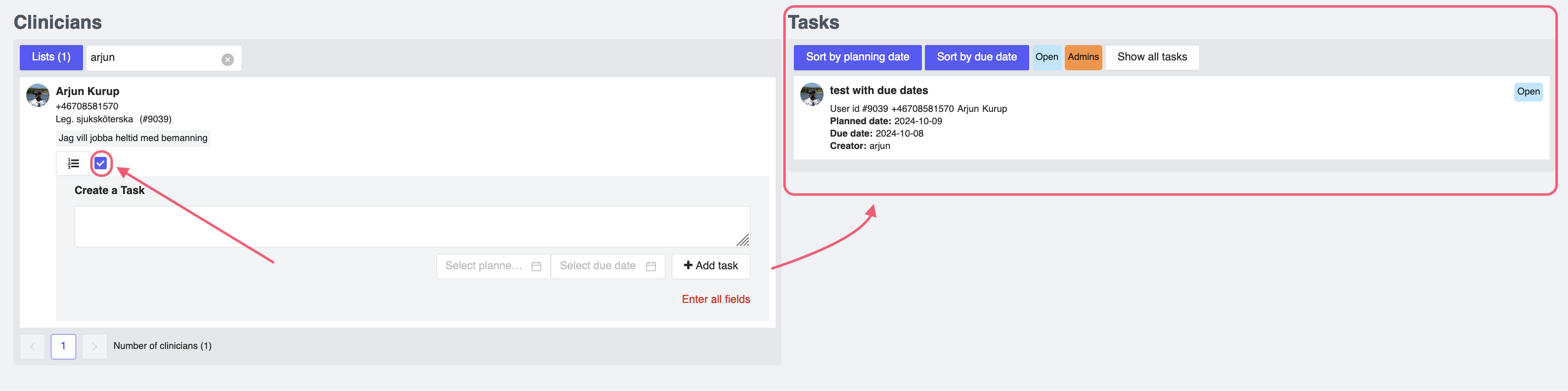
Figure 5: View Task Details